
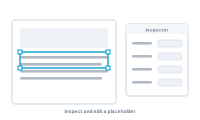
Most of the time, mapping just works. But when you want to check or change exactly what one placeholder does, you inspect it on its own.
A layout can have dozens of placeholders, and now and then one needs individual attention: it’s mapped to the wrong field, it should pull from a different source, or you want to confirm what it will output before a full run. Select it to focus on that one slot without touching the rest.
📷 Screenshot [NEU]: inspecting a single placeholder
Looking at a placeholder on its own, you can confirm and adjust:
Change what you need, and the rest of your mapping stays exactly as it was.
After editing a placeholder, preview a record to see the result in context. It’s the quickest way to confirm the slot now does what you intended before you produce the whole batch.
See how DataMergeStudio fills most placeholders for you automatically: Autolink