
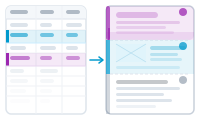
Sometimes the design itself should change from one record to the next – a "SALE" banner on some products, a different badge per region. Controlling InDesign layers from your data lets you switch parts of the design on or off per record.
Your InDesign layout can hold content on separate layers. With data-driven layer control, a value in your spreadsheet decides whether a given layer is shown or hidden for each record. Same layout, different visible elements, all driven by the data.
You decide, per record, which layers are visible, based on a field’s value. Records that meet the condition get the layer; the rest don’t. Everything else in the layout stays the same, so you’re toggling design elements rather than rebuilding the page.
Layer control needs each record rendered as its own document, so it pairs naturally with producing one document per record. If your output puts many records together, plan layer use accordingly.
When your content should flow across pages like text: Layout Flow Mode