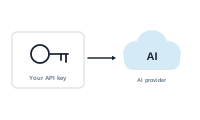
Bring Your Own API Key (BYOK) lets you connect your own AI provider to DataMergeStudio, instead of using the managed AI included in your plan. Your AI features then run on your provider account, with the model you choose.
How it works
You add your own provider and key once, in Preferences. From then on, DataMergeStudio’s AI features – both the AI node and the AI assistant – use that key: the app talks to your chosen provider directly, with the model you picked, billed through your own provider account. Your key itself is kept in the macOS Keychain and never leaves your Mac.
Set up BYOK
- Open Preferences.
- Choose the provider – OpenAI or Anthropic – and supply your API key.
That’s it – the AI features now run against your account, with your model choice.
📷 Screenshot [NEU]: the BYOK settings in Preferences (provider and API key)
Where your data is processed
This is the important part, and it differs from the managed option:
- AI node (BYOK). The data you connect to the AI node, together with the system prompt you set, is sent directly from the app to your chosen provider (OpenAI or Anthropic). It does not pass through DataMergeStudio’s servers at all.
- AI assistant (BYOK). The assistant also uses your key. It sends your chat input and your field names – the first row of your datasource – along with an extensive system prompt. It does not send your records. This is the same data boundary as with managed AI; the difference is only that the system prompt is large.
- Key storage (BYOK). Your API key is stored securely in the macOS Keychain and is never sent to DataMergeStudio’s servers. It stays on your Mac and is used only to talk to your chosen provider.
- Managed, for comparison. With the managed option, AI requests instead go to Anthropic via DataMergeStudio’s cloud servers.
So if you want every AI request to stay on infrastructure you control, BYOK keeps it strictly between the app and your provider. For the full data-handling picture, see DataMergeStudio and data protection.
Managed vs. BYOK
- Managed – DataMergeStudio chooses and runs the model for you, nothing to configure; usage is metered as AI credits.
- BYOK – you connect your own key and pick the model yourself; usage runs through your provider account.
Which plans include managed AI and BYOK is listed, and kept current, at datamergestudio.com#pricing.
Why use BYOK
- Model choice – use the specific model you prefer.
- Your own billing and limits – AI usage runs through your provider account.
- Control – keep AI calls on infrastructure you manage, with nothing routed through our servers.
Next
That’s your account. Next come the step-by-step guides.