
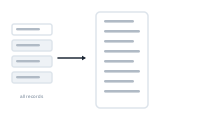
Grow mode puts every record into one long document. Rather than splitting into many files, the document "grows" to hold them all.
The merge produces a single document containing all your records. Grow duplicates the base layout for each record – the same layout, repeated – and appends them into one growing file. Two hundred records become one document with the layout repeated two hundred times.
Both put many records in one document, but they build it differently. Grow duplicates the base layout – every record gets an identical copy of the same layout. Flow assembles an individual document from components – layout blocks and different master pages – so the result isn’t a repeated layout but a continuous, composed publication. Grow for "the same page, many times"; Flow for a true catalog.
Flow records across pages like text: Layout Flow Mode