
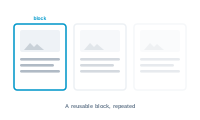
A layout block is the repeating unit of a flowing layout – a labelled element you build in InDesign that gets placed into the flow and filled with data.
A layout block is an element in your InDesign layout that carries a script label – that’s how DataMergeStudio recognizes it as a block. It can be a single text frame or a whole group of frames, and it must contain at least one placeholder. The block is anchored inline in the story, so it lives in the text flow rather than at a fixed position on the page.
Because it sits inline in the story, a block flows like text. At merge time, DataMergeStudio places blocks into the primary text frame, and the placeholders inside each block are replaced with content from your datasource. As blocks accumulate, they fill the page and continue onto the next – that’s the flow.
Blocks aren’t placed blindly. In the node editor, you control which block is placed and when, and where page breaks happen – all driven by your data. That’s what lets a catalog use different block designs for different items, or start a new page when a section changes, instead of repeating one fixed block forever.
Put the placeholders for the values that vary per record into the block – the same mapping ideas as any layout, packaged as the unit that flows. Whatever you build into the block is what each placed instance looks like once its placeholders are filled.
See how pages are shaped as content flows: What Is a Master Spread, and Why It Matters for Flow Mode