
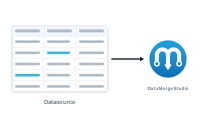
A datasource is where your content comes from – the rows of data DataMergeStudio pours into your layout. Set it up once, and every merge after that simply reads fresh values from it.
DataMergeStudio reads two kinds of file:
.xlsx) – and you don’t need Microsoft Excel installed to use one.Either one becomes your datasource. For most jobs, a single file is all you need.
Inside a datasource, your data lives in one or more sheets. Each sheet is a table: the first row holds the column headers, which become the field names you map to placeholders, and every row below is one set of values.
The sheet that drives the merge is the master sheet – one row there becomes one record in your output. If a job needs related information that doesn’t fit "one value per record" – a product’s many specs, an invoice’s many line items – you add secondary sheets and connect them with a data group.
Your datasource stays linked to the project. When the data changes, you don’t rebuild anything: update the file, reload it, and run the merge again. DataMergeStudio keeps your mapping intact even when columns are renamed or the layout changes.
To choose the right file type, see CSV vs. Excel. To bring a file in, see Importing Your First Spreadsheet.