
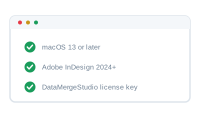
A quick checklist before you install DataMergeStudio. None of it is unusual — if you already work in InDesign on a Mac, you almost certainly have everything you need.
Your records live in an Excel workbook (.xlsx) or a CSV file. You do not need Microsoft Excel installed — DataMergeStudio reads .xlsx files directly. A single sheet is enough to start; multiple related sheets are supported later when you need them.
You’ll need an account on datamergestudio.com. It’s where you download the app, manage your subscription, and find your license key. You can start with a free trial and subscribe when you’re ready; your plan determines which features are available.
You need to be online for license activation and for the AI features (the AI Assistant and the AI node). The merge itself runs locally on your Mac, so you don’t have to stay connected the whole time. Your license is re-checked online periodically, though — much like Adobe’s apps — so you do need to go back online now and then. If you stay offline too long, DataMergeStudio asks you to reconnect before you can keep working.
.xlsx is read natively.Once you’ve got these in place, continue with Installing DataMergeStudio.