
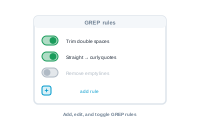
GREP text actions are managed as a set of rules you can switch on and off per project.
In the export settings, open GREP Text. Your GREP rules – find-and-replace patterns applied to the finished output – are managed here.
📷 Screenshot [NEU]: the GREP Text section with the list of rules
Each rule is a find-and-replace pattern you can activate or deactivate. Only the active rules are applied to a run, so you can keep a library of clean-ups and enable just the ones a given job needs.
Edit a rule to change its pattern or its replacement, or add a new one for a clean-up you find yourself doing repeatedly.
📷 Screenshot [NEU]: editing a GREP rule (pattern and replacement)
Keep the editable InDesign files alongside your PDFs: Keeping the .indd files alongside the PDF