
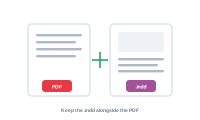
When you export to PDF, you can keep the underlying InDesign files too – handy when you need both the finished PDFs and the editable source.
When exporting to PDF, turn on keep InDesign files. DataMergeStudio then also saves the InDesign documents it generated, alongside the PDFs.
📷 Screenshot [NEU]: the "keep InDesign files" option in the PDF export settings
If you don’t need the PDFs at all – only the editable documents – use the InDesign export instead, which produces the InDesign files directly.
Jump to your results when the run finishes: Open after export and open the output folder