
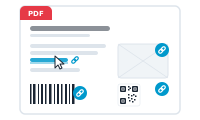
The hyperlink node turns a value from your data into a clickable link in the finished document. It’s how a URL in your spreadsheet becomes something a reader can actually click.
In the hyperlink node you pick the data column that holds the link’s target – the URL – and set the link options InDesign offers. For each record, the node attaches a real, clickable link to the content, using that record’s URL.
Because it produces an actual hyperlink rather than plain text, the result is clickable in the exported PDF – a product link, a "read more", a path to a landing page – not a string that merely looks like one.
The target is read per record from your chosen column, so every record links to its own destination. Store the URLs in a column, and each document points exactly where it should.
Bring a record’s related rows into the workflow: The Data Group Node