
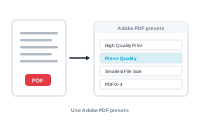
A PDF preset is the recipe that decides how your PDF is built – its quality, colour, and compression. DataMergeStudio uses the same presets you already have in InDesign.
When you export to PDF, pick a PDF preset in the export settings. It decides the quality, colour handling, and compression of the result, so it’s worth choosing deliberately.
📷 Screenshot [NEU]: the PDF preset selector in the export settings
PDF presets are imported directly from Adobe InDesign. The standard ones you know – high-quality print, press-ready, smallest file size – are all there, along with any custom presets you’ve defined in InDesign. If you add or change a preset in InDesign, a refresh brings the updated list into DataMergeStudio.
Match the preset to the destination:
The wrong preset is a common cause of disappointing output – a web preset sent to a printer, or a press preset emailed as a huge file – so it’s worth choosing deliberately.
Fine-tune the technical output settings: Format options