
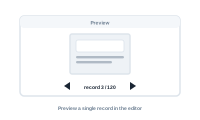
Before you produce hundreds of documents, preview a single record in the editor to see exactly what your graph will output.
The preview renders your workflow for one record, so you can check that the output is right – values land where expected, formatting and styles look correct, conditions behave – without running a full merge.
Pick the record by number, or use the left/right stepper to move to the previous or next one. When you’re working with a data group, this is also how you steer which master record you’re viewing, while the data group feeds in that record’s related rows.
Once you have variants, a Variants dropdown appears in the preview. Choose a variant – say Variant A – and the nodes belonging to other variants are ghosted (dimmed), so you see just what that variant produces.
A Consider filter settings checkbox is on by default. If you’ve set filters on your datasource that reduce the total set of records, leaving this on lets you step through only those records; turn it off to page through all records, ignoring the filter.
It’s the antidote to merging blind. Catch a mapping mistake, an empty value, or an unexpected result on one record, fix it, and only then run the whole batch. A few seconds of preview saves reprinting a stack of pages.
Keep your canvas readable: Tidy Up