
Lede. Defines what to do when an Image, QR or Barcode placeholder has nothing to render.
Group: Action (fail / error) · Available in: Image / QR / Barcode Placeholder · Central node: No
Add Node ▸ Action ▸ Action (inside an Image / QR / Barcode placeholder workspace).
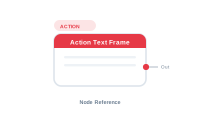
Wire Out into the placeholder’s Error Action socket. When the content branch returns nil (missing image, empty QR payload, …), the placeholder consults this action.
| Direction | Name | What it does | What you can connect |
|---|---|---|---|
| Output | Out |
Action directive. | Placeholder’s Error Action socket. |
The node has no input sockets.
| Setting | What it does |
|---|---|
| Action | One of: None, Use fallback image, Remove frame, Report error. |
| Fallback path | Used when Action = Use fallback image – path to a fallback graphic. |
| Error text | Used when Action = Report error. |
Scenario. When a product has no photo, render Photos/placeholder.png instead.
Wiring.
[Data Image] → [Placeholder.Content]
[Action Text Frame: "Use fallback: Photos/placeholder.png"] → [Placeholder.ErrorAction]
This is the empty-handling node. Without it the merge default kicks in (usually "skip").
📷 Screenshot [NEU]: Action Text Frame settings panel