
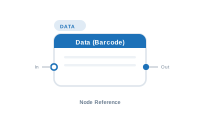
Lede. Reads a column value from the current record and forwards it as the barcode payload.
Group: Data · Available in: Barcode Placeholder · Central node: No
Add Node ▸ Data ▸ Data
This is the same node class as Data Text, exposed under the Data category of barcode placeholder workspaces. The barcode is rendered by BarCodeKit from the text value this node emits.
Identical behaviour to Data Text: pick a column, optionally chain upstream input and apply a Formatter. The emitted text becomes the barcode’s payload.
| Direction | Name | What it does | What you can connect |
|---|---|---|---|
| Input | In |
Chained text from an upstream node; concatenated. | Any text-producing node. |
| Output | Out |
The text used as the barcode payload. | Barcode placeholder’s Content. |
Same as Data Text.
Scenario. Print EAN-13 barcodes on a price list.
Wiring. [Data Text: EAN] → [Placeholder.Content] inside a barcode placeholder.
The barcode symbology (EAN-13, Code 128, …) lives on the placeholder, not on this node.
Same as Data Text. Invalid payloads (e.g. wrong check digit for EAN-13) usually surface in the InDesign rendering rather than as a node-level error – verify with a preview.
📷 Screenshot [NEU]: Data node panel inside a barcode placeholder workspace