
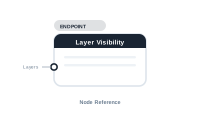
Lede. The central node of a Layer Visibility editor – collects layer toggles for the InDesign document per record.
Group: Endpoint · Available in: Layer Visibility editor · Central node: Yes
Auto-created when you open the Layer Visibility editor.
Wire Layer nodes into Layers. Each Layer node references one InDesign layer; the Layer Visibility node aggregates their directives and applies the resulting visibility map to the document during merge.
| Direction | Name | What it does | What you can connect |
|---|---|---|---|
| Input | Layers |
All layer-toggle directives for this document. Required. Multiple. | Layer node. |
No output sockets.
[Data Text: Language] → [Condition: == "DE"]
                            ├ Success → [Layer: "DE"] → [Layer Visibility.Layers]
                            └ Fail    → [Layer: "EN"] → [Layer Visibility.Layers]
Layers wired: no layers toggled; document uses the InDesign defaults.📷 Screenshot [NEU]: Layer Visibility editor with several Layer nodes