
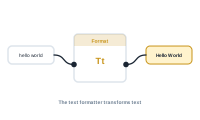
The text formatter shapes text – changing case, replacing, truncating, padding, reformatting dates and numbers, and much more. It doesn’t sit in the middle of your data flow; instead, you attach it to the node whose text you want to format.
A format node connects to the Format input socket, which both data nodes and the central node have:
So you choose the scope by where you attach it – format everything at once, or just one value.
The format node has its own data input, but that input is purely a trigger. Leave it unconnected and the formatting is applied always; connect a data node and it’s applied only when data flows through that input. The data isn’t formatted or used for anything else – it’s just the trigger. That’s how you make formatting conditional: apply this format only when some condition produces a value.
A single format node bundles a lot of operations – case changes, find & replace, truncation, extraction, padding, character filtering, whitespace cleanup, encoding, date and number formatting, and a few extras – each toggled on as you need it, and applied together. The next article catalogs them.
See every operation: Text Formatter Operations